iPhone Battery Drain – Why It Happens and What to do
November 16, 2025Sell My iPhone in San Diego
November 30, 2025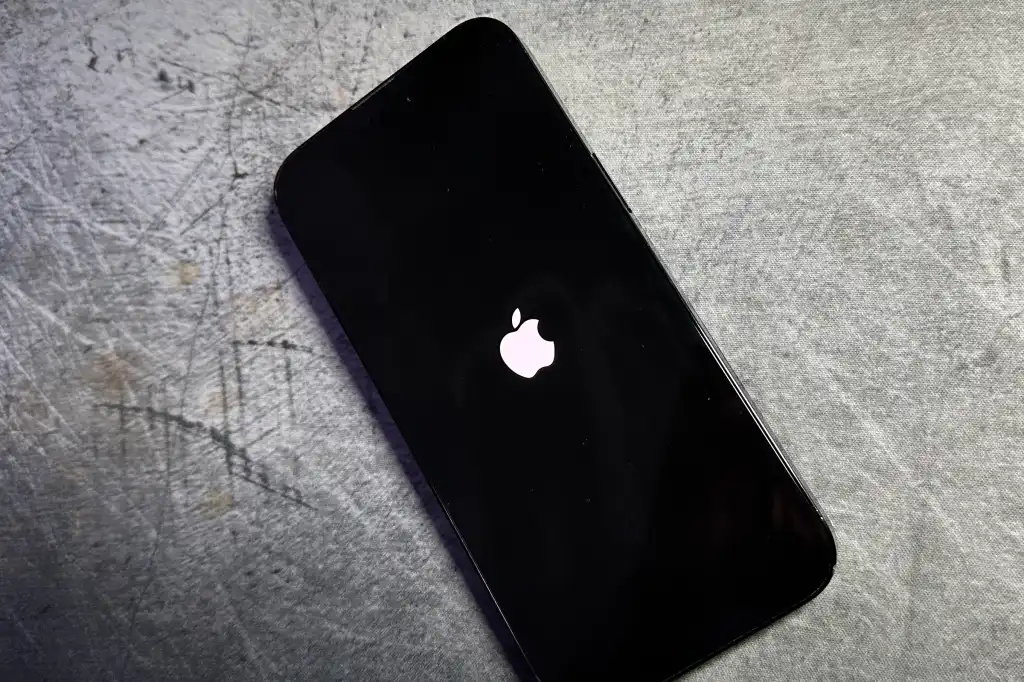
iPhone is stuck on the Apple Logo
If your iPhone is stuck on the Apple logo and won’t fully turn on, it can be frustrating and alarming. This issue is common and usually indicates a problem during the startup process. iPhones can get stuck on the Apple logo for several reasons, including corrupted software, a failed iOS update, data migration errors, or issues caused by jailbreaking attempts. Hardware problems such as a failing battery, damaged storage chip NAND, faulty power IC, or liquid damage can also interrupt the boot sequence and freeze the device on the Apple logo. Understanding what causes the boot loop or freeze is the first step toward resolving the issue. In this guide, we’ll walk you through the most common reasons an iPhone gets stuck on the Apple logo, the best troubleshooting steps, how to prevent it from happening again, and when it’s time to seek professional repair. Whether it’s a minor battery replacement or a critical motherboard repair, you’ll learn the best solutions to fix your iPhone quickly and safely. Located at 7330 Broadway, Lemon Grove, CA 91945, we offer convenient hours from Monday through Sunday, 10:00 AM to 8:00 PM. Call us today at (619) 627–6698 for all your smartphone, tablet, and laptop repair needs.
1. Corrupted iOS Software – iPhone is Stuck on the Apple Logo
A corrupted iOS installation is one of the most common reasons an iPhone gets stuck on the Apple logo or enters a continuous boot loop. This usually happens after a failed software update, interrupted restore, or incomplete data transfer. When the core system files become damaged, the iPhone cannot complete its startup process, causing it to restart repeatedly. Repairing this often requires a professional software restore, DFU mode recovery, or data-safe troubleshooting to prevent further issues. If your iPhone started looping after an update, corrupted software is likely the cause.
2. Faulty or Weak Battery
A weak or failing battery can prevent your iPhone from maintaining enough power to complete its boot cycle, causing it to loop on the Apple logo. This issue is especially common in older devices or phones exposed to heat or long-term wear. When voltage levels drop during startup, the phone automatically restarts to protect itself, creating a constant loop. Replacing the battery is often the simplest solution, and a professional diagnostic can confirm whether power instability is the root of the problem.
3. Damaged or Failing NAND Storage
If the NAND storage chip (the internal memory) is damaged or developing bad sectors, your iPhone may fail to read crucial system files during startup. This leads to freezing on the Apple logo, boot looping, random restarts, or extremely slow performance. NAND failure can occur from drops, aging hardware, failed updates, or repeated low-storage situations. This problem typically requires board-level repair or advanced micro-soldering. If your iPhone loops and also feels unusually slow or unresponsive, failing storage could be the cause.
4. Power IC Tristar or Tigris Failure
A malfunctioning Power IC commonly known as Tristar or Tigris—affects how your iPhone manages charging and power flow. When this chip is damaged, the device may not receive stable voltage during startup, leading to an Apple logo loop or constant reboot cycle. This can be triggered by liquid damage, low-quality chargers, power surges, or long-term wear. Because the Power IC controls communication between the charging port and the logic board, failure almost always requires micro-soldering repair. If your iPhone loops after charging issues, Tristar may be the culprit.
5. Hardware Damage From Drops or Water
Physical or liquid damage can cause an iPhone to get stuck on the Apple logo by disrupting connections on the motherboard or damaging key components required for startup. Even a small impact or minor water exposure can create shorts, loose chips, or corrosion that interrupts the boot sequence. These issues often get worse over time and can lead to random shutdowns, overheating, or failure to power on. Professional board-level diagnostics are usually required to locate and repair the affected area. If your iPhone started looping after a drop or water exposure, hardware damage is the likely reason.
6. Loose or Damaged Internal Connections (Flex Cables, Connectors)
Loose or damaged internal connections such as flex cables or motherboard connectors can easily cause an iPhone to get stuck on the Apple logo or enter a boot loop. These tiny components control communication between the screen, battery, sensors, and the logic board. If even one connector becomes loose after a drop, repair attempt, or manufacturing stress, the phone may fail during startup and keep restarting. This issue often requires a professional technician to open the device, check each flex cable, and secure or replace the damaged connection. If your iPhone started boot looping right after a drop or recent repair, a loose cable is a likely cause.
7. Water Damage Causing Short Circuits
Water damage is one of the most common reasons an iPhone gets stuck on the Apple logo or keeps rebooting. Even small amounts of moisture can create corrosion or tiny short circuits on the motherboard, interrupting the phone’s startup process. A device may appear dry on the outside but still have internal water damage that affects critical components like the power IC, charging port, or memory chip. Over time, corrosion spreads and causes more severe symptoms, including random shutdowns, failure to charge, or constant Apple logo looping. Professional cleaning and board-level diagnostics are usually required to stop the damage and restore proper function.
8. Overheating and Thermal Protection Shutdown Loop
If an iPhone overheats, it may enter a thermal protection cycle that prevents it from completing the boot process. This can cause the device to freeze on the Apple logo or restart repeatedly to protect the internal components. Overheating may be caused by failing hardware, battery issues, blocked vents, software bugs, or background processes overloading the CPU. In some cases, overheating points to deeper motherboard problems such as failing power circuits or shorts. Allowing the device to cool and having it professionally inspected can prevent long-term damage and resolve the boot loop. If your iPhone gets hot before looping, overheating is likely the cause.
Phone Repair in San Diego – iPhone is Stuck on the Apple Logo
At Big Time Phone Repair in San Diego, we’re proud to offer OEM parts and honest repairs without the upsell tactics or inflated replacement pricing. Whether it’s an iPhone, MacBook, Galaxy phone, or tablet, we now have even more tools to repair your device correctly. When it comes to reliable, affordable, and fast iPhone repairs in San Diego, Big Time is your go-to destination. Whether you need an iPhone screen repair, battery replacement, charging port fix, back glass repair, or motherboard repair for any model from the iPhone 11 through the latest iPhone 17, our expert technicians deliver top-quality service with genuine parts. If you’ve been searching for same-day iPhone repair in San Diego,” look no further—contact us today and get your iPhone working perfectly again. At Big Time Phone Repair, we’re recognized as one of the best phone repair stores in San Diego, serving customers at our Lemon Grove Broadway location. Whether you’ve broken your phone repair, a broken phone screen, or need camera repair or iPhone battery replacement, our trusted technicians have you covered. Searching for Apple Repair near me, Broadway Ave, San Diego, or a cellphone inspection near me? We provide fast, affordable, and professional repairs for all devices, including iPhones, Samsung phones, and iPads. From cracked screens and water damage to back glass replacement, motherboard repair, and data recovery, Big Time is your go-to independent shop in San Diego, offering same-day service and expert support for every customer. Contact us today to get started. Located at 7330 Broadway, Lemon Grove, CA 91945, we offer convenient hours from Monday through Sunday, 10:00 AM to 8:00 PM. Call us today at (619) 627–6698 for all your smartphone, tablet, and laptop repair needs.
